Setting up a limited company in the UK involves navigating various tax registrations and reference numbers. One of the most important – yet often confusing – is your company’s Unique Taxpayer Reference, or UTR. Without it, you cannot register for Corporation Tax, file returns, or make payments to HMRC.
This guide walks you through everything you need to know about obtaining and using your company UTR number.
What is the company’s UTR number?
A company with UTR (Unique Taxpayer Reference) is a 10-digit identifier issued by HMRC to your limited company for Corporation Tax purposes. You might also see it referred to as a Company Tax Reference, Corporation Tax UTR, or simply Company UTR – they all mean the same thing.
Every company liable for Corporation Tax receives its own unique number, which stays with the company throughout its life. UTR acts as your company’s tax identity with HMRC, appearing on all correspondence about Corporation Tax and required whenever you interact with HMRC about your company’s tax affairs.
For more detailed guidance on understanding and using your utr number, including common scenarios and troubleshooting tips, specialist resources can help clarify the process.
Company UTR vs other business numbers
New business owners often confuse the company’s UTR with other reference numbers. Here’s a quick comparison:
| Reference Number | Issued By | Purpose | Format |
| Company UTR | HMRC | Corporation Tax identification | 10 digits |
| Company Registration Number (CRN) | Companies House | Public register identification | 8 characters |
| Personal UTR | HMRC | Individual Self Assessment | 10 digits |
| VAT Number | HMRC | VAT registration | 9 digits (with GB prefix) |
| PAYE Reference | HMRC | Employee taxes | 3 digits + slash + letters |
Your company’s UTR is separate from your personal UTR. If you’re a company director, you may have both – but they serve completely different purposes and should never be mixed up on tax forms.
Who needs a company UTR and when you’ll use it
All UK limited companies receive a company UTR automatically after incorporation. Limited liability partnerships (LLPs) also get their own entity UTR. You’ll need your company UTR for:
- Registering for Corporation Tax
- Filling your annual Corporation Tax return (CT600)
- Making Corporation Tax payments to HMRC
- Registering for the Construction Industry Scheme (CIS)
- All HMRC correspondence about Corporation Tax
How to get your company UTR: the standard process
Automatic issuance after incorporation
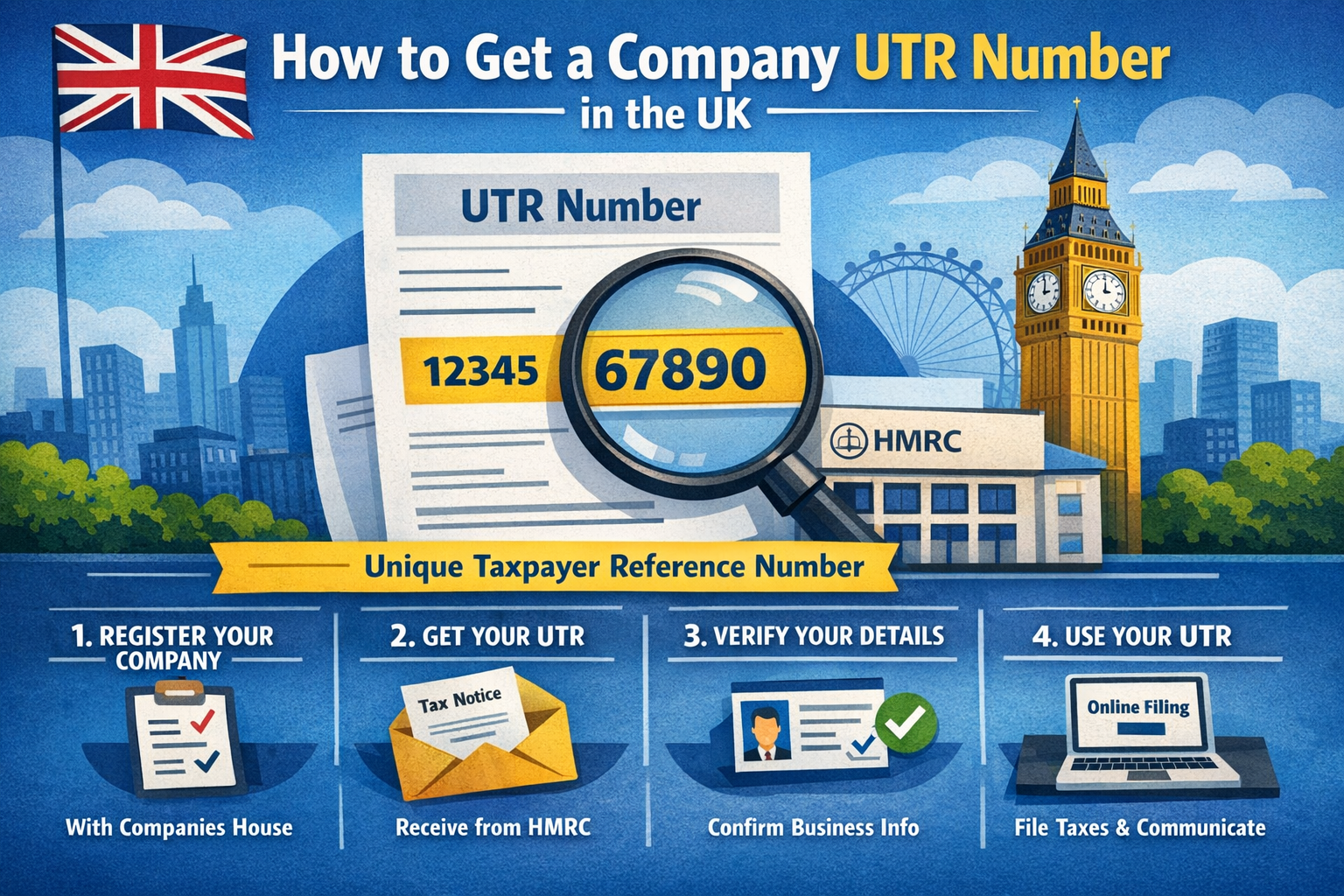
When you incorporate your limited company through Companies House, HMRC receives the details automatically. Within about 14 days – sometimes longer during busy periods or around bank holidays – HMRC will post a letter to your registered office address containing your company UTR.
This happens without you needing to do anything. The letter typically arrives in a plain brown envelope marked “HMRC Corporation Tax” and includes your 10-digit UTR along with instructions for registering for Corporation Tax online. Keep this letter safe – you’ll need the UTR repeatedly throughout your company’s life.
Postal delays do happen. If your registered office uses a mail-handling service, there may be additional time before the letter reaches you. Companies with overseas registered offices should expect longer delivery times. If three weeks pass without receiving the letter, it’s worth taking action to retrieve your UTR through other means.
Retrieving your UTR if you haven’t received it
You can request your company UTR through your HMRC Business Tax Account, accessed via Government Gateway. If you haven’t set this up yet, you’ll need your company details including the Company Registration Number, registered office address, and incorporation date. HMRC will post a new copy of your UTR to the registered office address, typically arriving within 10 working days.
Alternatively, call the HMRC Corporation Tax helpline. Have your company details ready, as HMRC will ask security questions to verify your identity before disclosing the UTR. The helpline can be busy during peak periods, particularly around filing deadlines, so calling early in the day often reduces waiting times.
Registering for Corporation Tax
Once you have your UTR, you must register your company for Corporation Tax within three months of starting to trade or receive income. “Trading” means actively conducting business, not simply existing as a company. HMRC defines this quite broadly – receiving your first client payment, buying stock, or signing your first contract typically counts as starting to trade.
Registration happens online through the Government Gateway. You’ll need your company’s UTR, details of when you start trading, your accounting period dates, and a description of your main business activity. After registering, HMRC will send confirmation and inform you when your first Corporation Tax return is due.
Missing the registration deadline can result in penalties, even if you have no Corporation Tax to pay. Dormant companies have different obligations, which we’ll cover shortly.
Non-UK companies operating in the UK
If your company is incorporated outside the UK but has a permanent establishment here or earns UK-taxable income, you need to register with HMRC for Corporation Tax. During registration, HMRC will issue your company’s UTR. The process differs slightly from UK-incorporated companies since Companies House won’t have notified HMRC automatically. You’ll need to complete form CT41G or register online, providing details of your overseas registration, UK business activities, and appointed UK tax representative if applicable.
Special situations affecting your company UTR
Dormant companies
Even dormant companies receive a UTR after incorporation. Inform HMRC that your dormant to avoid receiving Corporation Tax return notices and potential penalties. File from CT41G or update your status through your Business Tax Account.
Construction Industry Scheme (CIS)
Companies working in construction need their company UTR to register for CIS as a contractor or subcontractor. Without the correct UTR, CIS verification can fail, causing payment delays or issues with tax deductions.
LLPs and partnerships
Limited liability partnerships receive their own entity UTR separate from partners’ personal UTRs. The LLP uses its entity UTR for the partnership return, whilst individual partners use their personal UTRs for Self-Assessment.
Where to find your company UTR
Your company UTR appears in several places:
HMRC correspondence:
- Initial Corporation Tax registration letter
- Notice to Deliver a Company Tax Return (CT603)
- Payment reminders and statements
- Any other Corporation Tax letters
Online:
- Sign into your Business Tax Account via Government Gateway
- Navigate to Corporation Tax section
- Your UTR displays alongside company details
Through your accountant:
- Authorized accountants can access your UTR through HMRC’s Agent Services Account
- Grant permissions through Government Gateway
Avoiding delivery problems: If you’ve changed your registered office, update both Companies House and HMRC separately – they don’t share address changes automatically.
Lost your company, UTR? Recovery options
Online request:
- Sign into Government Gateway
- Access Business Tax Account
- Navigate to Corporation Tax
- Select “Request your UTR”
- HMRC posts it within 10 working days
Phone request:
- Call HMRC Corporation Tax helpline: 0300 200 3410
- Monday–Friday, 8am–6pm
- Have your Company Registration Number and company details ready
- HMRC will verify your identity before disclosing the UTR
Timescales: how long does it take?
| Stage | Typical timeframe |
| Incorporation to receive UTR letter | 10–21 days |
| Overseas registered offices | 4–6 weeks |
| Online UTR replacement request | 10 working days |
| Phone request (urgent cases) | Sometimes on the same day, confirmed by post |
When to chase: If it’s been three weeks since incorporation or 15 working days since requesting a replacement, contact HMRC.
Using your company UTR correctly and keeping it secure
Always quote your 10-digit company UTR when:
- Filing Corporation Tax returns
- Making tax payments to HMRC
- Corresponding with HMRC about Corporation Tax
- Registering for CIS or other schemes
When making bank transfers to HMRC, include your UTR in the payment reference to ensure correct allocation.
Best security practice:
- Share only with your accountant, HMRC, or organizations with legitimate need (e.g., your bank)
- Store securely in password-protected files or locked cabinets
- Never share in response to unsolicited emails or calls
- If you compromised, contact HMRC immediately
Common mistakes that cause problems
Mixing personal and company UTRs – These are separate numbers for separate entities. Using your personal UTR for company returns means it won’t be filed correctly.
Confusing CRN with UTR – Your Company Registration Number and UTR are different. One is for Companies House, the other for HMRC.
Missing the registration deadline – You have three months from starting to trade, not from incorporation. Many assume incorporation triggers the deadline.
Using outdated addresses – Update both Companies House and HMRC separately when you change registered office. They don’t share updates automatically.
Quick reference checklist
Within 14 days of incorporation:
- Watch for HMRC’s letter containing your UTR at your registered office
- File it safely – you’ll need this number repeatedly
If letter hasn’t arrived after 3 weeks:
- Request your UTR through Government Gateway or call HMRC
Within 3 months of starting to trade:
- Register for Corporation Tax online using your UTR
- Provide accounting dates and business activity details
Set up ongoing access:
- Create your HMRC Business Tax Account for online access
- Authorise your accountant if you use one
Key terms explained
UTR: 10-digit number identifying a taxpayer (individual or company) in HMRC’s systems
CRN: 8-character Company Registration Number issued by Companies House
Corporation Tax: Tax limited companies pay on profits (19% for most small companies)
Government Gateway: HMRC’s online portal for accessing tax services
CT600: The form is used to file a Corporation Tax return
Frequently asked questions
No. The UTR is issued after incorporation once Companies House registers your company and shares details with HMRC.
Sign into Government Gateway and navigate to “Manage who can deal with HMRC for you”. You’ll need your accountant’s agent reference number to authorise them for Corporation Tax.
No. Your company UTR remains the same throughout your company’s life, regardless of name changes, director changes, or address moves.
A company UTR is always 10 digits with no letters or spaces – for example, 1234567890.
No. Each company has one unique UTR. You’ll have different reference numbers for other taxes (VAT number, PAYE reference), but only one Corporation Tax UTR per company.
Getting your company UTR right from the start saves considerable time and stress later. The process is largely automatic, but understanding the timescales, knowing where to look, and recognizing when to act ensures you remain compliant and avoid penalties. Keep your UTR secure, use it correctly, and don’t hesitate to contact HMRC if something doesn’t seem right.