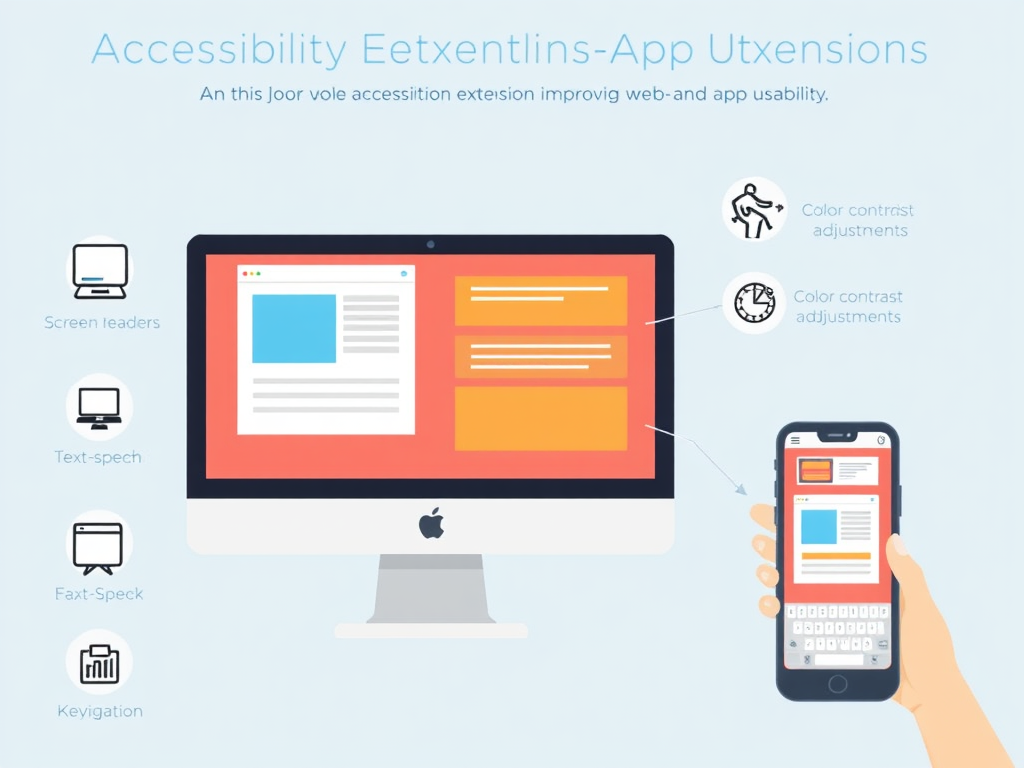
Digital time demands accessibility, which must be considered fundamental for modern development. Web and mobile application usability for all users stands as an essential moral obligation and legal requirement since disability affects millions of people throughout the world. Multiple developers and designers who seek accessible application development take advantage of accessibility extensions, which enhance usability primarily for users dealing with visual or auditory deficiencies, motor disabilities or cognitive impairments.
Understanding Accessibility Extensions
Accessibility extensions are software add-ons or browser plugins designed to assist users in navigating and interacting with web and app content more effectively. These tools help bridge the gap between users’ needs and the existing limitations of digital platforms.
These extensions come in various forms, including:
- Screen readers
- Colour contrast analyzers
- Keyboard navigation tools
- Voice control plugins
- Text-to-speech and speech-to-text converters
- Magnifiers and zoom tools
- Closed caption and subtitle generators
These tools function as essential elements for inclusive digital interaction because they modify presentation techniques, increase readability, and create secondary input and output capabilities.
Why Accessibility Matters
We must first comprehend how important accessibility truly is before examining the particular benefits of accessibility extension features.
- Legal Compliance: Under ADA laws in the United States, as well as Equality Act legislation in the UK and EN 301 549 standards of the EU, digital content must support accessibility needs. Organizations that violate accessibility standards will face legal action, together with monetary penalties and negative consequences to their reputation.
- Future-Proofing: Organizations that focus on accessibility at the present time secure better outcomes from future technological transformations and changing legal requirements. Implementing accessible solutions at the beginning of development eliminates unnecessary expenses for later modifications.
- Inclusivity: Accessibility extends beyond people with disabilities to accommodate those with short-term impairments and old age, together with users in various environments like bright illumination or loud settings. An app that supports everyone enables both greater inclusivity and complete equality of opportunities.
- Innovation Driver: Innovation and imaginative problem-solving are frequently the results of designing for accessibility. Many widely used features today, like voice assistants or closed captions, were originally developed to support accessibility and later adopted universally.
- Better User Experience: When accessibility principles are implemented, the final user interface becomes both easy to use and direct, which provides benefits to every user regardless of ability or disability.
- Business Benefits: More revenue comes from accessible websites that attract more users and enhance both SEO performance and customer trust and loyalty.
Key Ways Accessibility Extensions Improve Usability
Let’s explore how these extensions concretely improve the usability of web and mobile apps.
Enhanced Navigation for Screen Reader Users
Through the functionality of screen readers, users who are blind or visually impaired can receive digital text in both synthesized speech and braille formats. NVDA, alongside JAWS and VoiceOver, represents the popular accessibility extensions that users regularly employ.
Usability Improvement:
- Provides structure by interpreting headings, lists, and tables.
- Announces UI elements like buttons, links, and form fields.
- Supports keyboard navigation for hands-free interaction.
Adjustable Font Sizes and Contrast Ratios
The High Contrast and NoSquint extensions permit users to modify both text dimensions and appearance elements like font sizes and spacing, while background and foreground colours.
Usability Improvement:
- Aids users with low vision or dyslexia.
- Reduces eye strain and enhances readability.
- Enhances the notion of visual hierarchy for improved understanding of the text.
Voice Input and Control
Tools like Voice Control (macOS) or browser extensions such as Talky enable users to control the interface via voice commands.
Usability Improvement:
- Helps users with motor impairments or repetitive strain injuries.
- The system enables users to perform tasks without their hands when they need to multitask.
- Increases efficiency by enabling quick command execution.
Keyboard Navigation Enhancers
Users who avoid using a mouse need keyboard commands because they have no alternative interface choice. Vimium offers keyboard shortcuts as one of its extensions, which helps users navigate more efficiently.
Usability Improvement:
- Enables complete app use without a mouse.
- Enhances speed for power users.
- It makes navigation more predictable and less cumbersome.
Text-to-Speech Tools
Read Aloud and ChromeVox extensions provide web content reading functionality, which helps users who struggle with dyslexia, as well as those with ADHD and learning difficulties.
Usability Improvement:
- Facilitates better comprehension through auditory learning.
- Offers a secondary input channel to support focus.
- Aids users in multitasking by enabling audio content consumption.
Real-Time Captioning and Transcription
Google Live Caption, together with Otter.ai, provides users with hearing impairments access to instant audio transcription through their built-in features.
Usability Improvement:
- Allows users to follow along with spoken content without sound.
- Improves comprehension in noisy or quiet-sensitive environments.
- Supports language learners and non-native speakers.
Focus and Distraction Reduction Tools
Tools like Mercury Reader or Reader Mode strip away ads, navigation bars, and other distractions, presenting only the essential content.
Usability Improvement:
- Supports users with ADHD or cognitive overload.
- Provides a calm, focused reading environment.
- Increases reading efficiency and content retention.
Case Studies: Real-World Applications
Now let’s examine a few of the case studies:
- BBC and Screen Readers: The BBC ensures its content works well with screen readers. Through careful ARIA labelling and semantic HTML, they improve navigation and readability for visually impaired users. Their commitment to accessibility has made them a benchmark in inclusive media.
- Apple’s Built-In Accessibility Tools: Users with disabilities can use the Apple operating system’s built-in accessibility features by combining three tools: VoiceOver, Magnifier and Voice Control. The features provide communication between first-party and third-party applications to develop enhanced accessibility for users with disabilities.
- Gmail and High Contrast Mode: Users with vision impairments and those who are colour-blind can benefit from the high-contrast themes found in Google Gmail. Users can toggle this setting through either extensions or built-in system settings.
Benefits for Developers and Designers
The accessibility extensions provide benefits to end users as well as developers and designers through their development processes.
- Accessibility Auditing: While tools like WAVE and Axe DevTools help developers detect accessibility issues during development, platforms like LambdaTest can further enhance accessibility testing efforts. By integrating with your existing toolchain, LambdaTest supports teams in verifying WCAG compliance across browsers and devices at scale.
LambdaTest is an AI-native test execution platform that supports both manual and automated testing across 10,000+ real devices and 3,000+ browser and OS combinations. It enables real device testing, allowing developers to evaluate how accessibility features behave in real-world conditions, crucial for inclusive user experiences.
Additionally, LambdaTest offers integrations with leading accessibility testing tools, making it easy to run automated accessibility audits directly within CI/CD pipelines. This early feedback helps teams catch and fix accessibility issues before deployment, ensuring compliance from the very start of the development cycle.
- Improved Collaboration: The use of shared accessibility tools with reports enables developers to be more aligned with designers and QA team members while they exchange information about issues and possible solutions effectively.
- Simulating Disabilities: Extensions such as Funkify allow developers to simulate different disabilities and understand how users experience their site or app.
- Real-Time Issue Highlighting: Some extensions provide live feedback directly in the browser, highlighting accessibility problems on the fly, which speeds up debugging and reduces reliance on manual checks.
- Compliance Testing: Research extensions play two major roles by allowing teams to follow WCAG (Web Content Accessibility Guidelines) requirements while shielding them from expensive oversight mistakes. LambdaTest, with its integration of accessibility tools, also supports automated testing workflows that help ensure ongoing compliance.
- Code Snippet Suggestions: Certain tools suggest accessible code patterns or alternatives as developers build interfaces, helping enforce best practices without needing deep accessibility expertise.
Challenges and Limitations
The accessibility extensions enable many benefits, but they have some distinct limitations.
- Over-Reliance: Developers may rely too heavily on extensions instead of building inherently accessible apps.
- Performance Impact: Some extensions can slow down browser performance, especially when multiple are active simultaneously. This can result in lag, delayed page loads, or even browser crashes in low-resource environments. Users with older hardware may be particularly affected, reducing the overall benefit of the accessibility tools.
- Compatibility Issues: Some extensions may conflict with certain sites or browsers, leading to inconsistent experiences.
- Learning Curve: Users may need time and training to use advanced accessibility tools effectively. Despite these challenges, the net benefit of accessibility extensions in enhancing usability is substantial.
- Security Concerns: Security threats permeate through extension use because such apps usually need wide-ranging permissions despite inadequate review protocols. Extensions that are either evil or poorly maintained can gain access to important data or user activities and create security holes in systems. Users should only get extensions from reputable sources while maintaining regular updates.
Future Trends in Accessibility Extensions
Let’s have a look:
- AI-Powered Accessibility: Artificial intelligence is being used to generate alt text, auto-caption videos, and adapt interfaces dynamically based on user behaviour.
- Cross-Platform Integration: More extensions will work seamlessly across web and mobile platforms, ensuring consistent experiences.
- Personalized Accessibility: Accessibility extensions will enable customized user settings through profile data and preference information while considering the current context.
- Voice and Gesture Recognition: Improved technology will integrate gesture control and enhanced automatic voice recognition to diversify input methods.
How to Choose the Right Accessibility Extension
To pick the appropriate accessibility extension, follow these guidelines:
- Assess Your Needs: Every disability group requires different accessibility tools because visual needs differ from auditory and motor-based issues, and cognitive requirements such as dyslexia.
- Try Multiple Tools: Experiment to find the most intuitive and effective extension.
- Check Reviews and Updates: Make sure the extension is reliable, frequently updated, and supported.
- Look for Open Source Options: These often come with strong community support and customization.
- Verify Compatibility: Ensure the extension works smoothly with your browser, operating system, and other assistive technologies you may be using.
- Test for Real-World Scenarios: Use the extension in typical daily tasks to confirm it actually improves accessibility in meaningful ways rather than just offering surface-level features.
In Conclusion
By going beyond their role as convenient features, these tools establish fundamental tools for establishing digital environments that welcome all abilities for complete participation. The tools make interfaces accessible to users who have visual issues or experience auditory impairments, limitations, or cognitive barriers by supporting users in working with web and mobile applications. Accessible extensions reduce the usability gap through their functions of text readability enhancement and alternative input facilities combined with instant feedback solutions.
Developers and organization members who integrate these tools into product development create interfaces that users find easier to navigate while simultaneously upholding ADA and WCAG requirements and enabling access to different user communities. These advantages surpass ethical aspects and legal requirements because they enable innovation, improve SEO rankings, drive customer satisfaction, and foster trust relationships.
Major accessibility extension advancements are expected because of AI developments, real-time adaptation integration, and cross-platform support improvements. The future design direction demonstrates that accessibility should be organized as a fundamental design principle that developers must adopt from the beginning of their work.
Accessibility extensions serve as important tools to advance equal opportunities across the internet because they create environments that combine usability with enjoyment and accessibility, benefitting all users. The implementation of these tools now will create a positive impact on building a digital environment that includes everyone while remaining user-friendly and sustainable.
Apart from that if you want to know about “Easy Tips for Making Your Wellness App More User-Friendly” then please visit our Tech Category.