

Introduction
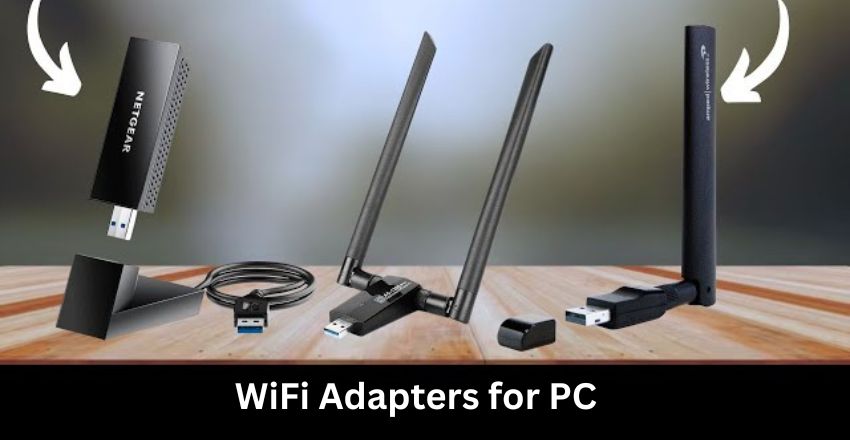
WiFi adapters for PC are crucial for ensuring fast and stable internet connections. There are some of the best WiFi adapters for PC, including the TP-Link Archer T4U AC1300 for dual-band speeds, the Netgear Nighthawk AC1900 for gaming, and the ASUS USB-AC68 for range.
It will also cover the Edimax EW-7833UAC for streaming and the TRENDnet TEW-809UB for high-speed tasks. This article will explore their features, benefits, and how they can enhance your PC’s connectivity.
| Adapter | Speed | Transmission | Price |
| TP-Link Archer T4U AC1300 | Up to 1300Mbps | Dual-band (2.4GHz & 5GHz) | $20 – $30 |
| Netgear Nighthawk AC1900 | Up to 1900Mbps | Dual-band, External Antenna | $50 – $70 |
| ASUS USB-AC68 | Up to 1900Mbps | Dual-band, External Antenna | $60 – $80 |
| Edimax EW-7833UAC | Up to 1750Mbps | Dual-band (2.4GHz & 5GHz) | $30 – $40 |
| TRENDnet TEW-809UB | Up to 1900Mbps | Dual-band, External Antenna | $40 – $60 |
Choosing the Right Wi-Fi Adapter for Your PC
Selecting the right Wi-Fi adapter for your PC can significantly improve both wireless performance and internet stability, especially on systems without built-in Wi-Fi or with outdated connectivity standards. A good adapter bridges the gap between your device and your home network by supporting faster Wi-Fi protocols, stronger reception, and reduced interference — all of which contribute to smoother browsing, streaming, and online gaming experiences. When choosing an adapter, it’s important to consider factors like compatibility with your operating system, antenna design for better signal reach, and the supported Wi-Fi standard (such as dual-band options) to ensure your setup meets both current needs and future connectivity demands. By focusing on these elements, users can enhance their PC’s wireless capabilities without the need for internal hardware upgrades.
WiFi adapters for PC
WiFi adapters for PC are essential for ensuring a stable and fast internet connection. When selecting WiFi adapters for a PC, consider speed, coverage, and installation ease. The TP-Link Archer T4U AC1300 provides dual-band support, while the Netgear Nighthawk AC1900 is perfect for gaming. The ASUS USB-AC68 offers excellent range, and the Edimax EW-7833UAC delivers solid performance for streaming.
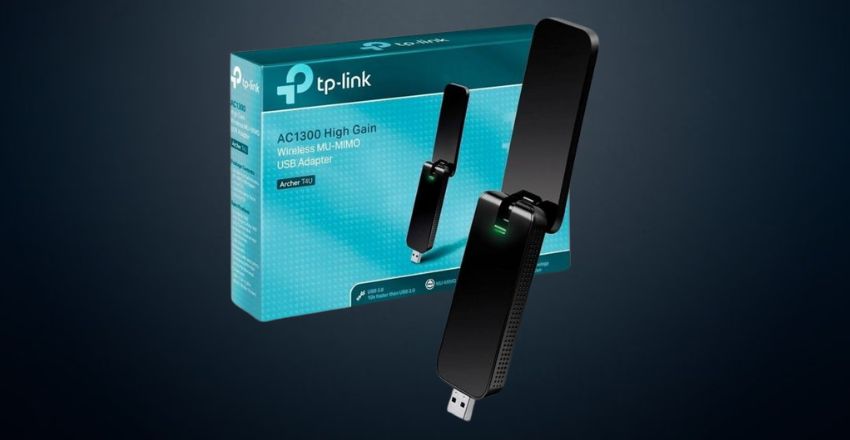
TP-Link Archer T4U AC1300 Dual Band WiFi Adapter
The TP-Link Archer T4U AC1300 Dual Band WiFi Adapter offers dual-band speeds of up to 1300Mbps. It features a USB 3.0 interface for faster data transfer. This WiFi adapter for PC supports both 2.4 GHz and 5 GHz bands, offering flexibility for streaming and gaming.
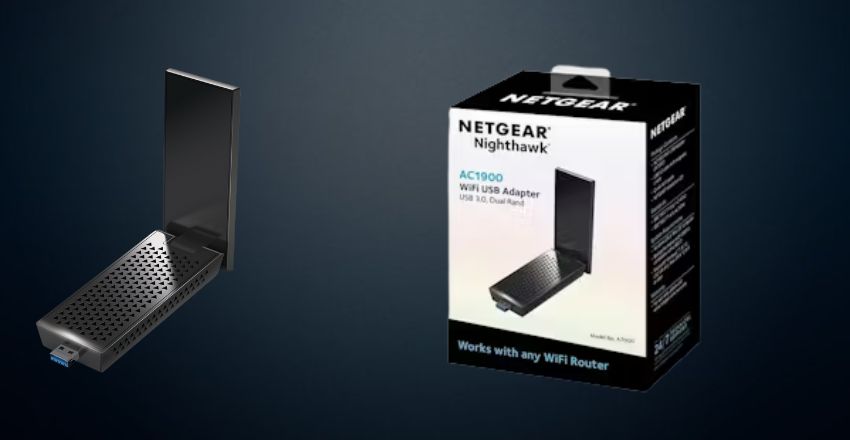
Netgear Nighthawk AC1900 WiFi USB Adapter
The Netgear Nighthawk AC1900 WiFi USB Adapter supports speeds up to 1900Mbps on dual bands, making it perfect for gamers and heavy internet users. This WiFi adapter for PC features an external antenna for extended range and a USB 3.0 port for faster data transfer.
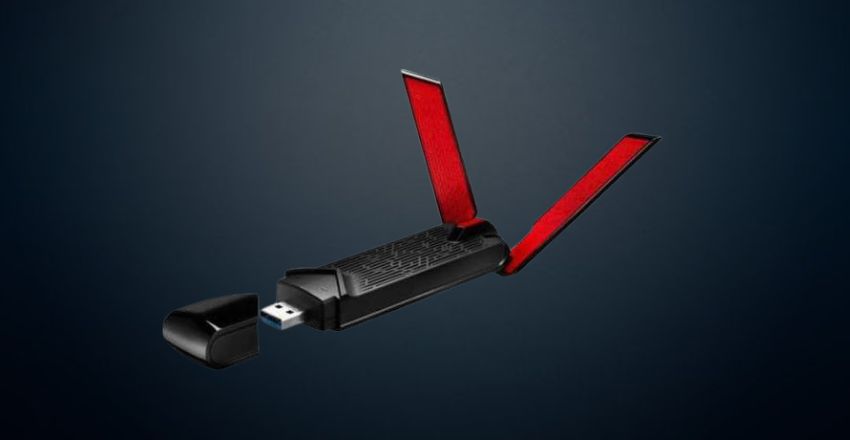
ASUS USB-AC68 Dual-Band AC1900 WiFi Adapter
The ASUS USB-AC68 Dual-Band AC1900 WiFi Adapter provides fast dual-band speeds of up to 1900Mbps. It includes external antennas for better range and signal strength, making it a top WiFi adapter for PC. With USB 3.0 for fast data transfer,
Edimax EW-7833UAC AC1750 USB 3.0 WiFi Adapter
The Edimax EW-7833UAC AC1750 USB 3.0 WiFi Adapter supports dual-band WiFi speeds up to 1750Mbps. It uses a USB 3.0 interface for quicker data transfer and features an easy plug-and-play setup. This WiFi adapter for PC offers great value, providing high-speed internet access for streaming and light gaming tasks.
Linksys WUSB6300 AC1200 Wireless USB Adapter
The Linksys WUSB6300 AC1200 Wireless USB Adapter supports AC1200 speeds for a smooth, stable connection. It’s a dual-band adapter, working on both 2.4 GHz and 5 GHz bands. This WiFi adapter for PC uses USB 3.0 for faster transfer rates and easy setup
Coverage
Coverage is important when selecting WiFi adapters for PC because it determines how far the adapter can maintain a strong signal. Adapters with external antennas generally offer better coverage, ensuring that your PC can connect to WiFi networks in larger spaces or areas with obstacles. Strong coverage minimizes signal drops, ensuring a more reliable connection.
Speed
Speed is one of the most important features of a WiFi adapter for a PC. The latest WiFi standards, such as WiFi 5 (802.11ac) and WiFi 6 (802.11ax), support faster speeds and better performance under heavy traffic. Depending on the adapter, speeds can range from 600Mbps to 1900Mbps or more,
Connectivity
A good WiFi adapters for PC should support both 2.4 GHz and 5 GHz frequencies for optimal connectivity. The 2.4 GHz band is great for long-range connectivity, while the 5 GHz band provides faster speeds for activities like streaming or gaming. Dual-band adapters give you flexibility,
Transmission
Transmission quality affects how well a WiFi adapter for a PC can send and receive data. Adapters with external antennas offer better transmission rates, reducing interference and providing a stronger signal. For seamless transmission, choose an adapter that supports the latest WiFi standards and provides excellent signal strength,
Installation
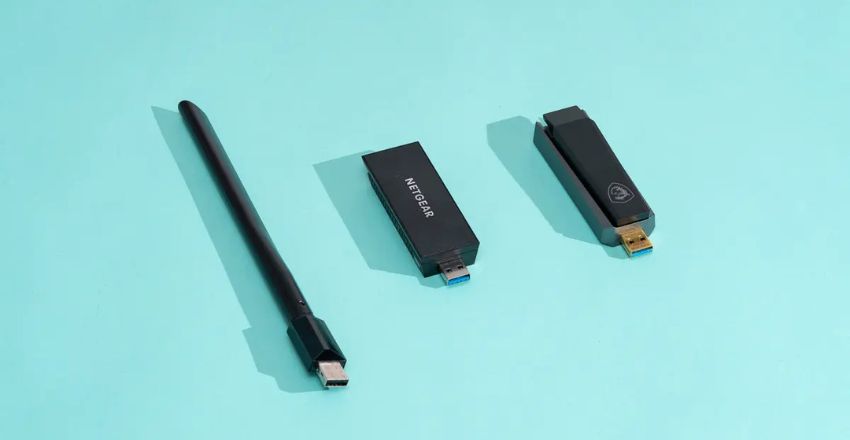
Installation of WiFi adapters for PC is usually straightforward. USB adapters are the easiest to install—plug them into the USB port and follow the setup instructions. PCIe adapters installed directly into the motherboard might require opening the PC case but often provide faster speeds.
Security
Security is an essential feature of any WiFi adapter for a PC. Look for adapters supporting WPA3 encryption, the latest security protocol that protects your data from hackers. A secure connection is especially important when handling sensitive information like online banking or shopping.
Portability
Portability is one of the key advantages of USB WiFi adapters for PC. These adapters are small, lightweight, and easy to carry, making them perfect for laptops and users who need reliable WiFi while traveling. With plug-and-play functionality, you can easily connect to networks at home, cafes, or any location with WiFi access.
Internet Protocols
Internet protocols like IPv6 support and the latest WiFi standards (WiFi 5 and WiFi 6) are essential for future-proofing your WiFi adapter for your PC. IPv6 offers better network performance and a larger address space, which is important as more devices connect to the internet.
Pricing
WiFi adapters for PC are available at various price points, with budget models starting at around $10 and premium options going up to $50 or more. Generally, the more expensive adapters offer better speed, coverage, and features such as external antennas, dual-band support, and the latest WiFi standards.
Manual Guide
A manual guide that comes with your WiFi adapters for PC typically provides step-by-step instructions on installation and troubleshooting. Many modern adapters also include an online manual or video tutorials.
These guides ensure that even first-time users can set up the adapter correctly without confusion, leading to a smoother experience.
Benefits of Upgrading to a High-Performance WiFi Adapter for PC
Upgrading to a high-performance WiFi adapter for a PC can significantly enhance your overall internet experience by delivering faster speeds, stronger signal stability, and reduced lag during online activities. Modern adapters with dual-band or tri-band support help distribute network traffic more efficiently, ensuring smooth performance even when multiple devices are connected.
They also improve connectivity in areas with weak signals by using advanced antenna technology and better transmission protocols. For users engaged in gaming, streaming, or large file transfers, a reliable WiFi adapter reduces buffering and latency issues, providing a more seamless and responsive connection.
Conclusion
In conclusion, selecting the right WiFi adapters for PC depends on your needs, whether for gaming, streaming, or general use. The TP-Link Archer T4U, Netgear Nighthawk AC1900, ASUS USB-AC68, Edimax EW-7833UAC, and TRENDnet TEW-809UB offer excellent performance.
This article explored these options to help you find the ideal WiFi adapters for your PC to enhance your internet experience.
Apart from that if you want to know about “Samsung A9+: A Feature-Packed Tablet for Ultimate Performance and Entertainment, Specifications Pricing and More” then please visit our “Tech” Category.
FAQs
It provides a stable, high-speed wireless connection, especially if your PC lacks built-in Wi-Fi.
Most WiFi adapters are easy to install, with plug-and-play options or simple driver installations.
USB Wi-Fi adapters can work for gaming, but performance depends on signal strength, adapter quality, and network stability. High-quality adapters offer lower latency and better speeds.
Wi-Fi adapters are commonly available as USB adapters, PCIe cards, and internal modules, each offering different performance levels and installation methods.
Internal Wi-Fi cards generally offer better performance and stability, while USB adapters are easier to install and more portable.

