Why Does My Shark Vacuum Keep Stopping?
If you’ve ever found yourself asking, “Why Does My Shark Vacuum Keep Stopping?” You’re not alone. Many Shark vacuum owners experience issues such as their machine suddenly shutting off mid-clean, overheating, returning to the dock too early, or displaying an “obstruction” message.
These interruptions can be frustrating, especially when you rely on your vacuum for daily cleaning. Fortunately, most of these problems are caused by simple issues like airflow blockages, dirty filters, power interruptions, or overheating protection triggers rather than serious mechanical failures.
In this comprehensive troubleshooting guide, we’ll explore the common causes behind these symptoms, step-by-step solutions to fix them, and preventive maintenance tips to keep your Shark vacuum running smoothly and efficiently for years to come.
Shark vacuum stoppages are usually linked to airflow disruption, overheating protection, or basic maintenance issues rather than serious faults. When dust, hair, or debris builds up inside the filters, brush roll, or hose, the vacuum automatically reduces performance or shuts off to protect the motor. Understanding these common triggers makes it easier for users to identify problems quickly and apply simple fixes before they turn into bigger performance issues.
| Category | Details / Overview |
| Solution and guide | Why Does My Shark Vacuum Keep Stopping |
| Common Issues | Stopping mid-clean, overheating, early docking, WiFi disconnection, and obstruction alerts |
| Main Causes | Clogged filters, blocked airflow, tangled brush roll, overheating motor, weak power connection |
| Quick Fixes | Empty dust cup, clean or replace filters, check for blockages, cool down motor, inspect cord or battery |
| Robot Vacuum Problems | Sensor errors, dirty docking contacts, navigation confusion, wheel obstruction |
| Maintenance Tips | Clean brush roll regularly, wipe sensors, empty bin after use, store in a dry area, and avoid long continuous use |
| When to Seek Help | Persistent overheating, burning smell, motor noise, damaged cord, frequent shutdowns after cleaning |
| Prevention Focus | Consistent filter cleaning, airflow inspection, and proper charging practices |
| Goal of the Guide | To help users troubleshoot Shark vacuum issues, understand causes, and maintain long-term performance |
Step-by-Step Troubleshooting Guide
The best way to solve Shark vacuum issues is by going through a structured troubleshooting process. Start with the basics before moving on to deeper checks.
Power and Connection Check
Begin by making sure your vacuum is properly powered. One of the simplest reasons why your Shark vacuum keeps stopping is a weak or interrupted power source.
If you have a corded Shark vacuum, confirm that the plug is securely inserted into a functioning outlet and that the cord is free from cuts or kinks. For cordless or robot models, ensure the battery is fully charged before starting a cleaning session.
Dust Cup, Filters, and Airflow Path
One of the most common reasons why your Shark vacuum keeps stopping or overheating is restricted airflow. When airflow is blocked, the motor works harder, creating excess heat and triggering the automatic shut-off feature.
Always empty the dust cup before it becomes too full, as an overfilled bin increases strain on the motor. Clean the pre-motor foam and felt filters regularly, following your model’s manual, and let them dry completely before reinstalling. Using damp filters can cause internal damage or overheating.
Motor and Overheating Protection
Shark vacuums are designed with a thermal protection system that automatically shuts off the motor if it becomes too hot. This is one of the most frequent answers to “Why does my Shark vacuum keep stopping suddenly?”
If your vacuum stops working and feels warm to the touch, unplug it or remove the battery and let it cool for at least 30 minutes. While waiting, clean out the dust cup, filters, and any visible blockages to help airflow.
Brush Roll, Belt, and Floor Head Issues
Another common reason why Shark vacuums keep turning off is a jammed brush roll or faulty belt. When the brush roll can’t spin freely, it increases resistance on the motor and triggers an automatic shut-down to prevent damage.
Turn off the vacuum, remove the brush roll, and carefully clean out tangled hair, strings, or debris. Inspect the belt; if it looks stretched, cracked, or broken, replace it immediately.
Also, ensure that your floor type setting matches the surface you’re cleaning. Using the wrong mode (e.g., carpet mode on hard floors) can cause drag, forcing the motor to work harder than necessary and overheat.
Robot Vacuums Obstruction, Docking, and Connectivity Issues
For Shark robot vacuums, frequent stopping, early docking, or “obstruction” alerts are usually caused by sensor or navigation errors rather than mechanical problems.
If your Shark robot vacuum keeps stopping or saying “obstruction,” start by cleaning all sensors and wheel wells. Dust or hair buildup can trick the robot into thinking it’s blocked. Check the wheels for tangled debris that could affect mobility.
Why Does My Shark Vacuum Keep Stopping? When to Seek Professional Help
If your Shark vacuum continues to stop randomly, even after cleaning and inspection, there may be a serious internal issue that needs professional repair.
Stop using the vacuum immediately if you notice any of the following:
- A burning smell or visible smoke
- The motor hums but doesn’t spin
- A damaged power cord or a flickering power indicator
- Frequent overheating despite cleaned filters and airflow
If the power switch or cord appears damaged, or if the cost of repair or parts exceeds half the value of the vacuum, it’s best to contact Shark Support or consider replacing the unit.
Why do These Problems Happen?
Most of the issues that cause a Shark vacuum to stop working stem from reduced airflow. When airflow is blocked by dust, hair, or debris, the vacuum’s motor can’t cool properly and overheats. Clogged filters make the problem worse by restricting suction and airflow. Homes with pets or long hair often experience brush roll tangles, which increase the load on the motor and lead to shutdowns.
Continuous use without breaks can also overheat the vacuum. Electrical problems, such as damaged power cords or weak batteries, cause intermittent disconnects.
Why Does My Shark Vacuum Keep Stopping? Preventive Maintenance Tips
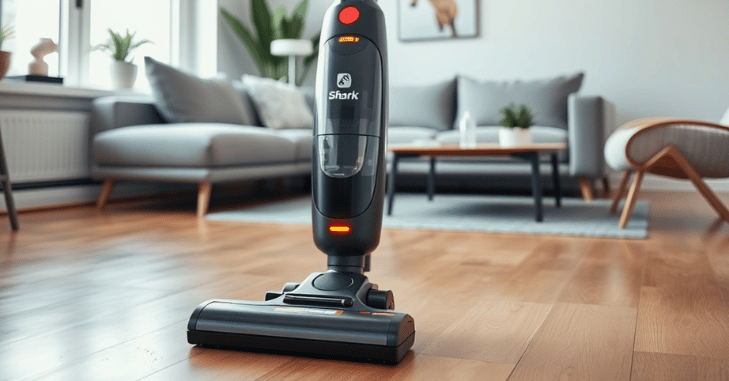
Preventing your Shark vacuum from stopping unexpectedly mainly comes down to consistent care and upkeep. Follow these key maintenance steps to keep your vacuum running smoothly and avoid issues like overheating, clogging, or shutdowns.
- Empty the dust cup regularly. Always empty the bin after every major cleaning session. A full dust cup restricts airflow and is one of the main reasons why your Shark vacuum keeps stopping mid-use.
- Clean or replace filters as recommended for foam and felt filters monthly, and replace HEPA filters every 6–12 months, depending on usage. Dirty filters block airflow and cause the vacuum to overheat and turn off.
- Inspect hoses and floor heads weekly. Check for blockages in the hose, wand, or floor head that might restrict airflow. Even small obstructions can make the motor work harder and lead to automatic shut-off.
- Remove hair from the brush roll. Hair and fibers quickly tangle around the brush roll, adding strain to the motor. Regularly clearing the roller helps prevent overheating and explains why many users find that this fixes the issue when their Shark vacuum keeps stopping.
- Clean robot vacuum sensors and docking contacts. For robot models, wipe sensors and charging contacts frequently. Dirty sensors can cause the vacuum to misread obstacles or return to the dock early.
- Store in a cool, dry place. Avoid exposing your Shark vacuum to extreme temperatures or moisture. Proper storage keeps electrical components in good condition and prevents performance issues.
- Avoid prolonged use without a break. Continuous operation without pauses can cause the motor to overheat, which is another common reason why Shark vacuums stop unexpectedly.
- Check the power cord or battery periodically. Look for signs of wear, fraying, or battery weakness. Replacing damaged cords or worn batteries prevents sudden power losses.
- Follow your model’s care manual. Regularly maintaining your Shark vacuum according to the manufacturer’s guidelines ensures maximum performance and reduces the chance of it shutting off during cleaning.
Consistent care and attention to these simple maintenance steps can dramatically reduce instances where your Shark vacuum keeps stopping, ensuring it continues to deliver strong suction and reliable performance for years.
Conclusion
If you’ve ever wondered, Why does my Shark vacuum keep stopping? The answer usually comes down to maintenance, airflow, or power issues rather than a major defect. In most cases, cleaning clogged filters, removing tangled hair from the brush roll, or clearing blockages in the hose will quickly fix the problem.
Overheating and power interruptions are built-in safety responses designed to protect the motor, not signs of permanent damage. Regular care is the best prevention.
Empty the dust cup after each use, wash and dry filters properly, and check for tangled debris around the roller and sensors. Following these simple habits can stop your Shark vacuum from overheating, disconnecting, or shutting off unexpectedly.
However, if your Shark vacuum keeps stopping even after cleaning and troubleshooting, it may point to a deeper motor or wiring issue that requires professional attention. Contact Shark’s customer service or a certified repair technician for further diagnosis.
Want to know about Small Bedroom Ideas: An Overview of Incorporating Multi-Functional Pieces, Add Cozy Textures for Warmth, And More Information Check out our Home Improvement category.
FAQs
A Shark vacuum may last 5 to 7 years with good care and regular maintenance. Regularly cleaning the filters, emptying the dust cup, and removing hair from the brush roll can all help to extend its life.
Overheating might cause damage to your vacuum. So, if it begins to overheat, it will shut down.
For concerns like suction loss and battery replacement, repairs are a cost-effective solution