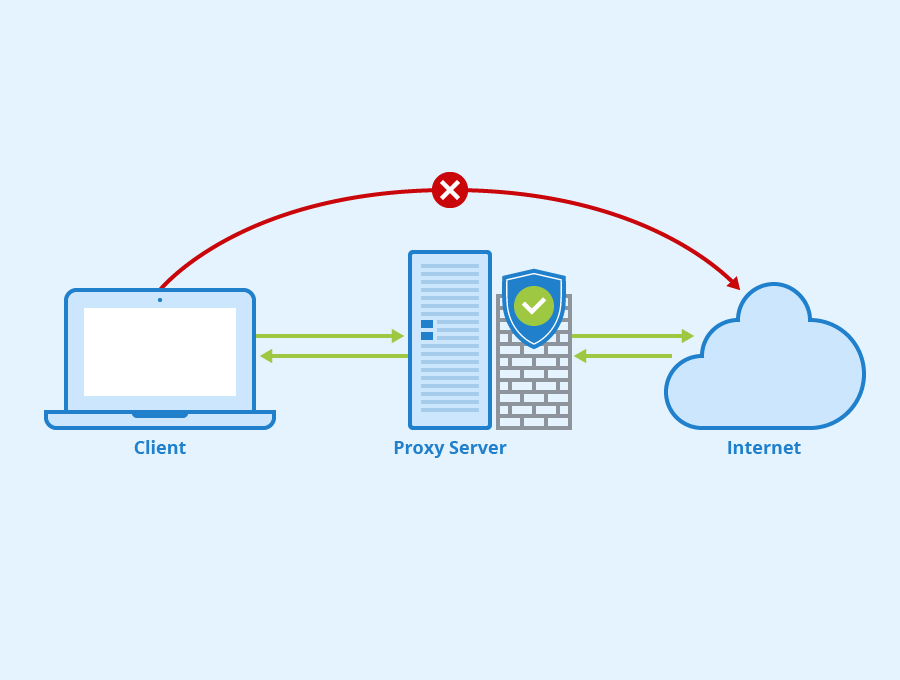
Proxy-checker.net is an online service that tests proxy servers to show whether each one is working, how quickly it responds and what level of anonymity it offers. You paste in a list of proxies, run the check, and get a results table that lets you keep the reliable servers and discard the dead, slow or leaky ones.
That matters because proxy lists degrade quickly. A server that worked yesterday can be offline today, and a proxy sold as anonymous can still reveal your real IP address. Below you will find how the tool works, how to read its results, and a practical routine for keeping a proxy pool healthy.
What Is Proxy-checker.net?
Proxy-checker.net is a browser-based platform for checking proxies in real time. Instead of configuring each proxy in a browser or script and testing it by hand, you submit a batch and the service runs the connection tests for you. There is nothing to install, which makes it handy when you are on a work machine or simply want a quick answer.
For each proxy, a checker of this kind typically reports:
- Whether the proxy is alive and accepting connections.
- Its response time, so you can compare speed across servers.
- Its anonymity level: transparent, anonymous or elite.
- Other technical details that help explain failures or odd behaviour.
How a Proxy Server Checker Works
Understanding what happens behind the scenes helps you interpret the results sensibly. A proxy server checker attempts to connect to each address and port you provide, sends a request through it, and inspects what arrives at the other end.
- Availability test: if no connection can be made, or the request times out, the proxy is marked as not working.
- Speed test: the time between sending the request and receiving a response gives a latency figure. Lower is better.
- Header inspection: the checker looks at what the proxy forwards. If your original IP appears in headers such as X-Forwarded-For, or the proxy announces itself through a Via header, that affects its anonymity rating.
Bear in mind that results reflect conditions at the moment of testing and from the checker’s own location. A proxy that is quick from one region can be slower from another, so treat speed figures as a guide rather than a guarantee.
Proxy Anonymity Levels Explained
The anonymity level is often the most important column, because it tells you how much the target website can learn about you.
| Level | What the target site sees | Typical use |
|---|---|---|
| Transparent | Your real IP is passed on, and the request is clearly proxied | Caching and content filtering; not for privacy |
| Anonymous | Your IP is hidden, but the site can tell a proxy is being used | General browsing where detection does not matter |
| Elite (high anonymity) | Your IP is hidden and the request looks like a normal visit | Tasks where you do not want the proxy to be obvious |
If privacy is the reason you are using a proxy, a transparent server defeats the purpose. Filter those out first.
How to Use Proxy-checker.net Step by Step
The workflow is short and does not require technical knowledge:
- Open the website in any modern browser. No download or setup is needed.
- Prepare your list in the usual IP:port format, one proxy per line. Remove duplicates and blank lines first, as this keeps the results tidy.
- Paste the proxies into the input field. You can check a single proxy or a whole list.
- Start the check by clicking the Check button and wait for the tests to finish.
- Review the results: status, speed, anonymity level and any extra details shown.
- Export or copy the working proxies into your tool, browser profile or script, and discard the rest.
How to Read the Results and Choose Proxies
A results table is only useful if you act on it consistently. A simple filtering order works well:
- Remove anything not working. There is no point troubleshooting a dead server from a free list.
- Remove transparent proxies if you need privacy.
- Sort by response time and set a cut-off that suits your task. Scraping and automation can tolerate slightly slower proxies; live browsing and streaming cannot.
- Prefer elite proxies for tasks where detection would cause blocks or account flags.
- Re-test before important jobs. A clean result from last week tells you little about today.
Key Benefits of Proxy-checker.net
- Speed: test many proxies at once instead of one at a time.
- Clear detail: status, response time and anonymity in a single view.
- Convenience: works online, with no software to install or maintain.
- Accessible: straightforward enough for beginners while still useful for people managing large lists.
- Cost: the service is offered online for free use, which makes it easy to fold into a regular routine. Check the site for any current limits on list size.
When Do You Need a Proxy Checker?
Testing is worth doing whenever your work depends on proxies behaving as expected:
- SEO and rank tracking tools that rotate through many IP addresses.
- Managing multiple social media or marketplace accounts, where a failing or leaky proxy can link accounts together.
- Web scraping and data collection, where dead proxies waste requests and slow pipelines.
- Personal privacy, to confirm your IP is not being passed through.
- Accessing region-specific content while travelling, within the service’s terms of use.
- Business automation, where reliability affects scheduled jobs and reporting.
Common Proxy Problems a Checker Helps You Spot
- Dead servers that simply time out.
- IP leaks, where headers expose your real address.
- Very high latency that makes pages crawl or automation fail.
- Wrong protocol, such as treating a SOCKS proxy as HTTP, which shows up as a failed connection.
- Unstable proxies that pass one test and fail the next, a sign they are overloaded or short-lived.
Good Habits for Managing a Proxy List
- Keep a master list and a separate “verified” list, and only feed verified proxies into your tools.
- Re-check at regular intervals, more often for free or public proxies, which tend to churn quickly.
- Record when each proxy last passed so stale entries are easy to spot.
- Be cautious with free public proxies for anything sensitive. You do not know who operates them, so avoid logging into important accounts or sending personal data through them.
- Use proxies lawfully and within the terms of the websites you access.
Frequently Asked Questions
What does Proxy-checker.net check?
It tests whether each proxy is working, measures its response speed and reports its anonymity level as transparent, anonymous or elite. It can also show extra technical details that help explain why a proxy fails.
What is the difference between anonymous and elite proxies?
An anonymous proxy hides your IP address but still reveals that a proxy is in use. An elite proxy hides your IP and does not identify itself, so the request looks like an ordinary visit.
Why does a proxy show as working but still feel slow?
Speed results reflect the moment of testing and the checker’s location. A proxy can be overloaded later, or slower from your own region, so re-test close to when you need it and compare response times.
How often should I check my proxies?
Check public or free proxies before each significant task, since they go offline frequently. Paid private proxies are more stable, but a regular check still catches outages and configuration problems early.
Is it safe to use free proxies?
Free public proxies are fine for low-risk testing, but you cannot verify who runs them. Avoid sending passwords, payment details or personal information through a proxy you do not trust.
Bottom Line on Proxy-checker.net
Proxies are only as useful as they are reliable, and lists go stale fast. Proxy-checker.net gives you a quick way to confirm which servers are alive, how fast they respond and whether they genuinely hide your IP. Make testing part of your routine, filter out transparent and slow proxies, and re-check before any job that matters.