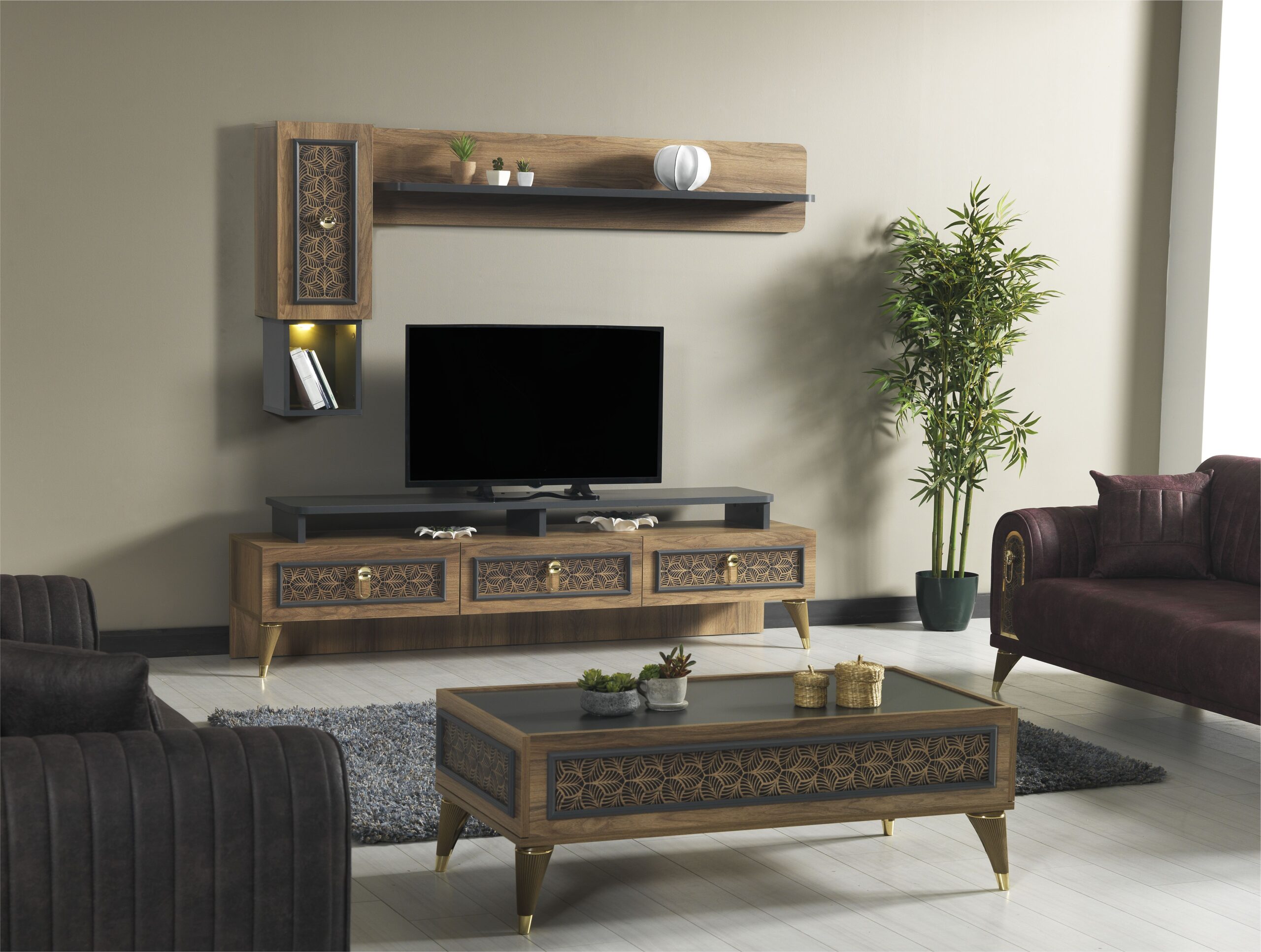
TV stand weight capacity determines whether a television remains stable, with modern flat-screen TVs weighing between 10kg and 45kg, requiring stands rated at least 1.5 times that load, with correct width, depth, and structural support to prevent tipping in living rooms.
What determines if a TV stand can safely hold a TV?
TV stand safety depends on load rating, structural material, and base width, with a minimum requirement of 1.5× television weight, solid wood or reinforced MDF construction, and a base wider than the television footprint by at least 5cm per side.
Every safe setup starts with weight capacity.
Manufacturers specify maximum load in kilograms. A 55-inch TV typically weighs 15kg to 20kg, while a 65-inch model often ranges between 20kg and 30kg. Larger 75-inch TVs can exceed 35kg depending on panel technology.
Material density affects performance under load. Solid hardwood resists bending better than particleboard due to fibre structure and compression strength. Learn more about wood material properties and how density impacts durability.
A reliable rule:
TV weight + accessories ≤ 70% of stand capacity
This margin prevents long-term sagging and joint stress.
For properly rated options, browse the full TV stand and furniture collections to compare dimensions, materials, and load ratings across designs.
How do you check your TV’s weight and size correctly?
Television specifications define weight and dimensions, with a 55-inch TV measuring approximately 123cm width and 15kg to 20kg weight, while a 65-inch TV measures around 145cm width and up to 30kg depending on panel type and stand design.
Manufacturer specification sheets provide exact values.
Check two key figures:
• Weight with stand
• Weight without stand
Flat-screen TVs follow VESA mounting standards, which define hole spacing such as 200×200mm or 400×400mm.
Width determines stability. A stand must extend beyond the TV base by at least 5cm on each side. Larger screens benefit from 7cm to 10cm clearance per side to reduce tipping risk.
Why does TV stand width and depth matter for stability?
TV stand stability depends on base width and surface depth, with recommended width exceeding TV size by 10cm total and depth ranging between 30cm and 45cm to support modern flat-screen centre-of-gravity distribution.
Modern TVs concentrate mass in the display panel.
This forward weight bias increases tipping risk on shallow surfaces. A stand with insufficient depth fails to counterbalance the forward load, especially on larger screens above 65 inches.
Typical depth guidelines:
• 32–43 inch TVs: 25cm to 35cm depth
• 45–55 inch TVs: 30cm to 40cm depth
• 58–65 inch TVs: 35cm to 45cm depth
• 70+ inch TVs: 40cm+ depth
Base width also distributes load across the frame, reducing stress on joints and legs.
How does weight distribution affect TV stand safety?
Weight distribution affects structural balance, with front-loaded television mass requiring stands with deeper bases, rear support positioning, and even weight spread across legs to prevent forward tilt and instability over time.
Flat-screen design shifts mass forward.
Older CRT televisions distributed weight evenly across depth, but modern LED panels place most mass toward the screen. Learn more about centre of mass and how weight positioning impacts balance.
Uneven distribution causes:
• Forward leaning
• Increased stress on front legs
• Gradual joint loosening
Stands with wider rear legs or reinforced back panels provide better balance.
Can any TV stand fit any TV?
TV stand compatibility depends on VESA pattern, weight rating, and surface dimensions, with mismatched mounting holes, insufficient load capacity, or narrow surfaces creating structural and safety risks for televisions above 50 inches.
Compatibility involves three factors:
- Mounting pattern
- Weight capacity
- Physical footprint
VESA compatibility ensures mounting arms align with the TV back panel.
Weight mismatch causes structural failure risk over time.
Surface mismatch increases tipping probability.
A practical compatibility guide:
• 32–43 inch TVs: 100cm to 120cm stand width, 15kg to 25kg capacity
• 45–55 inch TVs: 125cm to 150cm width, 20kg to 35kg capacity
• 58–65 inch TVs: 155cm to 180cm width, 25kg to 45kg capacity
• 70+ inch TVs: 185cm+ width, 35kg+ capacity
What safety margin should you use for TV stand weight capacity?
TV stand safety margin requires a minimum 1.5× load buffer, meaning a 25kg television should use a stand rated for at least 37.5kg to prevent structural fatigue, joint failure, and long-term material deformation.
Furniture experiences dynamic stress.
Small movements, vibrations, and daily use apply additional force beyond static weight. This repeated stress weakens joints and materials over time.
A 1.5× multiplier accounts for:
• Movement forces
• Added accessories such as soundbars
• Material fatigue
Higher margins improve long-term durability.
How do slim TV stands stay stable despite smaller profiles?
Slim TV stand stability relies on engineered base width, reinforced internal frames, and optional wall anchoring, with high-quality designs maintaining load capacities of 30kg to 50kg despite reduced visual bulk.
Slim design does not equal weak structure.
Manufacturers use internal bracing and thicker load-bearing sections to maintain strength.
Key stability features include:
• Wide leg spacing
• Reinforced back panels
• Adjustable feet for levelling
Wall anchoring adds another layer of safety. Guidance from other interior experts highlight anchoring as a major factor in reducing accidents.
How often should you check your TV stand for safety issues?
TV stand maintenance requires monthly inspection of joints, screws, and surface alignment, with checks taking under five minutes and preventing long-term instability caused by loosening hardware or environmental changes.
Regular inspection prevents gradual failure.
Check the following:
• Screw tightness
• Surface level alignment
• Leg stability
• Signs of material warping
Humidity affects wood expansion. Seasonal changes can shift alignment by a few millimetres, which impacts balance over time.
What mistakes cause TV stands to fail or become unstable?
TV stand failure results from overload, insufficient width, poor material quality, and uneven flooring, with most issues occurring when weight exceeds capacity or when base dimensions do not match television size.
Common failure patterns include:
• Using vintage furniture without load rating
• Ignoring weight specifications
• Placing stands on uneven carpet
• Overloading with decor items
A frequent mistake involves focusing only on aesthetics.
A stand must meet structural requirements first, then visual preferences.
What is a simple checklist to confirm that your TV stand is safe?
A TV stand safety checklist requires verifying weight capacity, width clearance, depth support, and level placement, ensuring all four conditions meet recommended thresholds before placing the television on the stand.
Use this quick decision framework:
- Confirm TV weight from manufacturer
- Check stand load rating is 1.5× higher
- Ensure 5cm to 10cm width clearance per side
- Verify depth supports TV base fully
- Confirm stand sits level on flooring
If any condition fails, the setup risks instability.
How can you create a balanced living room around your TV stand?
Living room layout balance depends on zoning furniture, with TV stand placement supported by complementary pieces such as sideboards or desks to distribute visual weight and improve functional flow.
A well-positioned TV stand anchors the room.
Pairing the stand with complementary furniture separates activities and improves usability. For example, placing a desk or reading area away from the screen reduces visual clutter and creates functional zones.
Explore layout ideas and furniture pairings in this laundry room organization and zoning guide to understand how structured layouts improve daily use.
Conclusion
TV stand compatibility depends on measurable factors, weight, width, depth, and material strength.
A safe setup follows clear rules:
• Use a 1.5× weight safety margin
• Maintain minimum width clearance
• Match depth to screen size
• Choose structurally sound materials
Following these principles ensures long-term stability, prevents damage, and creates a living space that feels both secure and visually balanced.