Introduction
An All-in-one PC is a modern computer that combines the monitor and system components into one sleek and compact device. Unlike traditional desktops requiring a separate tower, an All in One PC saves space and reduces clutter, making it perfect for home and office use. These systems offer powerful performance, high-quality processors, large storage capacities, and clear, high-definition screens. Whether for work, school, or entertainment, an All-in-One PC provides a complete solution in a single device. Its user-friendly design and minimal wiring make it easy to set up and use, offering convenience and efficiency for all users.
Advantages of an All-in-One PC
· The All in One PC has several advantages, making it a popular choice.
· First, it saves significant space, making it ideal for smaller rooms or offices.
· Second, it reduces the number of cables needed, which helps keep the workspace organized.
· Many All-in-One PCs also come with touchscreen displays, offering a more interactive experience.
· They are also easy to set up since fewer components need to be connected, making them user-friendly.
Performance and Power
While All in One PCs are compact, they still deliver powerful performance. These systems often come equipped with strong processors, such as Intel Core i5 or i7 or AMD Ryzen chips, ensuring they can handle multitasking and demanding applications. Many All-in-One PCs also offer ample memory (8GB or more) and storage options, including SSDs for faster boot times and smooth operation. Whether you’re working on documents, watching videos, or playing games, these PCs offer reliable performance.
Display Quality
One of the standout features of an All-in-One PC is its display. Most models offer large screens, typically 21 inches to 27 inches or more, with high-resolution displays, often Full HD or 4K. The crisp image quality is perfect for work tasks and entertainment, such as streaming movies or editing photos and videos. Some All-in-One PCs also include touchscreens, adding convenience and a more interactive user experience.
Design and Space Efficiency
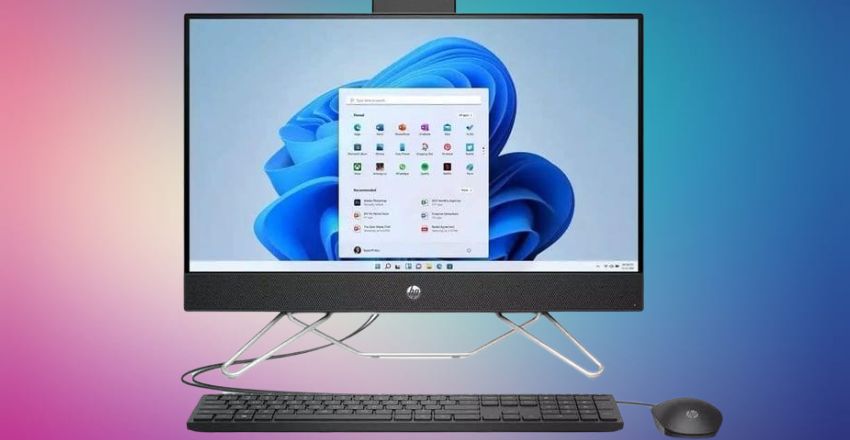
A key advantage of an All-in-One PC is its design. The integrated system eliminates the need for a separate CPU tower, meaning fewer wires and a more organized desk space. This design is ideal for users who want a modern, minimalist setup. The compact nature of the All in One PC makes it easy to fit in small spaces like apartments, home offices, or even dorm rooms. Despite their slim profiles, these computers do not compromise on performance or features.
Ease of Use and Setup
One of the most appealing features of an All-in-One PC is its ease of setup and use. With everything built into one unit, users only need to plug in the power cable and, if needed, connect external peripherals such as a keyboard or mouse. This simplicity makes the All-in-One PC a great choice for those who want a hassle-free experience. Additionally, many models come with wireless keyboards and mice, further reducing the number of cables and creating a cleaner workspace.
Why All-in-One PCs Are a Smart Choice for Modern Workspaces
All-in-one PCs offer a streamlined computing experience by integrating the display and system components into a single unit, reducing clutter and saving valuable desk space without sacrificing performance. These systems appeal to users seeking simplicity and elegance, as they typically come with built-in speakers, webcams, and essential ports, eliminating the need for multiple peripherals. For everyday tasks such as browsing, streaming, document editing, and video conferencing, an all-in-one PC provides a balance of functionality and aesthetic appeal that traditional desktops often lack. This combination of integrated design and capable performance makes all-in-one computers ideal for home offices, classrooms, and users who want a powerful yet uncomplicated setup.
Connectivity and Built-in Features
One of the often-overlooked advantages of an all-in-one PC is its wide range of built-in features and connectivity options. Most modern models come equipped with Wi-Fi, Bluetooth, webcams, microphones, speakers, and multiple USB ports, eliminating the need for several external devices. This makes video conferencing, online learning, and remote work much more convenient.
Many All-in-One PCs also support HDMI and USB-C connections, allowing users to connect additional monitors or accessories when needed. These integrated features help create a streamlined computing experience while maintaining the clean and clutter-free design that makes All-in-One PCs so appealing.
Touchscreen Features
Many All-in-One PCs come with touchscreen functionality, allowing users to interact with the screen directly. This feature is particularly useful for graphic designers, students, and those who prefer hands-on navigation. Touchscreens make it easier to scroll, zoom, and interact with applications, providing a more intuitive experience. Some models even support stylus input, allowing users to draw or take notes on the screen.
Gaming and Graphics
Though One PCs are not traditionally known for gaming, many modern models are equipped with powerful graphics cards like NVIDIA or AMD Radeon, making them capable of running various games and graphics-intensive applications. While they may not offer the same level of performance as a high-end gaming desktop, an All-in-One PC can still handle casual gaming and tasks such as video editing, making it versatile for multiple uses.
Considerations Before Buying
Before purchasing an All-in-One PC, it’s essential to consider a few factors. First, consider the intended use: For everyday tasks, professional work, or entertainment. Second, check the specifications, such as the processor, memory, storage, and graphics, to ensure they meet your needs. Additionally, consider the display size and whether you need features like a touchscreen. Finally, compare the price to ensure you’re getting the best value for your money.
Price Range
All-in-One PCs come in various price ranges depending on their features and specifications. Basic home-use models typically cost around $500, while more powerful systems with advanced features, such as 4K displays and high-end processors, can cost upwards of $1,500 or more. The price of an All-in-One PC often reflects the quality of its components, display size, and additional features like touchscreen capabilities or premium design.
Popular Brands
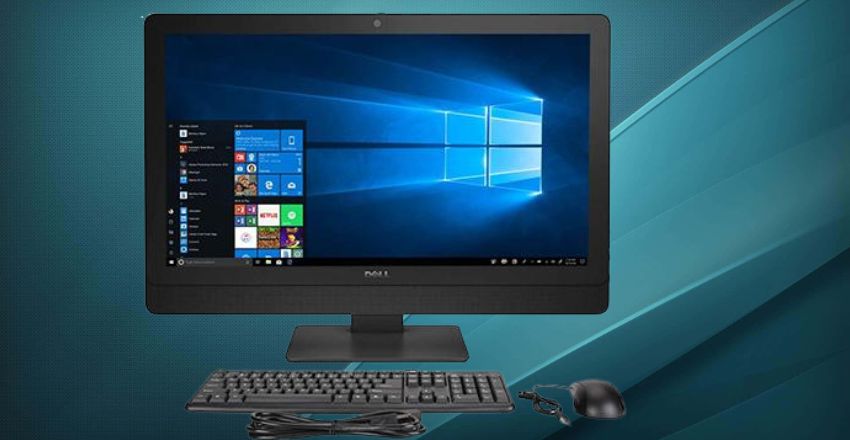
Several well-known tech companies manufacture All in One PCs. Some of the most popular brands include Apple, its iconic iMac series, and Microsoft, Lenovo, Dell, and HP. Each brand offers different models that cater to various needs, from casual users to professionals requiring powerful workstations. Apple’s iMac is renowned for its sleek design and powerful performance, while brands like Dell and HP offer more budget-friendly options.
Maintenance and Upgrades
One potential drawback of an All-in-One PC is that it can be more challenging to upgrade than traditional desktop computers. Since the components are tightly integrated into the monitor, users may struggle to upgrade parts like RAM, storage, or graphics cards. However, most All-in-One PCs have enough power and storage to meet the average user’s needs. Regular maintenance, such as cleaning the screen and updating the software, helps ensure long-term performance.
Conclusion
The All-in-One PC is an excellent choice for users seeking a powerful, space-saving, easy-to-use computer. Its sleek design, strong performance, and high-quality displays provide a comprehensive solution for both work and entertainment. Whether you need a system for your home office or a family-friendly computer, an All-in-One PC offers the convenience and functionality of a desktop without the bulk. Its growing popularity highlights the advantages of having everything in one compact package.
Apart from that if you want to know about “Ultrawide Monitors: The Ultimate Buying Guide About Its Benefits, Types, Features, And More” then please visit our “Tech” Category.
FAQs
An All-in-one PC is a computer that integrates the monitor and internal components into one unit.
It saves space, reduces cables, and offers a sleek, organized setup.
Yes, they offer powerful processors and ample storage for various tasks.
An all-in-one PC is a computer where the internal components and display are combined into a single unit, reducing the need for a separate tower.
All-in-one PCs save desk space, reduce cable clutter, and offer a clean, modern design while still providing everyday computing performance.